
Every PDF, accessible.
Your document library has thousands of PDFs and an accessibility obligation. PDFAA audits each one against WCAG 2.1 AA, repairs every machine-fixable violation, and generates a fully accessible alternate version. And using it is as simple as sending an email.
- Installation-free and easy to learn, or Drupal-integrated and automatic
- Every WCAG 2.1 A & AA criterion, every page
- Reports you can hand to your accessibility officer
The problem is complex. Using PDFAA isn’t.
Tag trees, reading order, alt text, contrast, form labels: PDF accessibility is genuinely hard. PDFAA carries that complexity so your team’s part stays simple.
-
Send a document
Email a PDF, drag and drop it in the web portal, submit through the REST API, or let the Drupal integration pick it up where it already lives in your CMS.
-
PDFAA does the heavy lifting
Every applicable WCAG 2.1 A and AA criterion is assessed with the rendered document in view. Machine-fixable violations are repaired conservatively; anything needing judgment is drafted for a human reviewer.
-
You get proof
A clear report with a compliance grade and per-violation fix guidance, a remediated PDF with a before-and-after comparison, and a fully accessible alternate version of the document.
Reports written for action, not alarm.
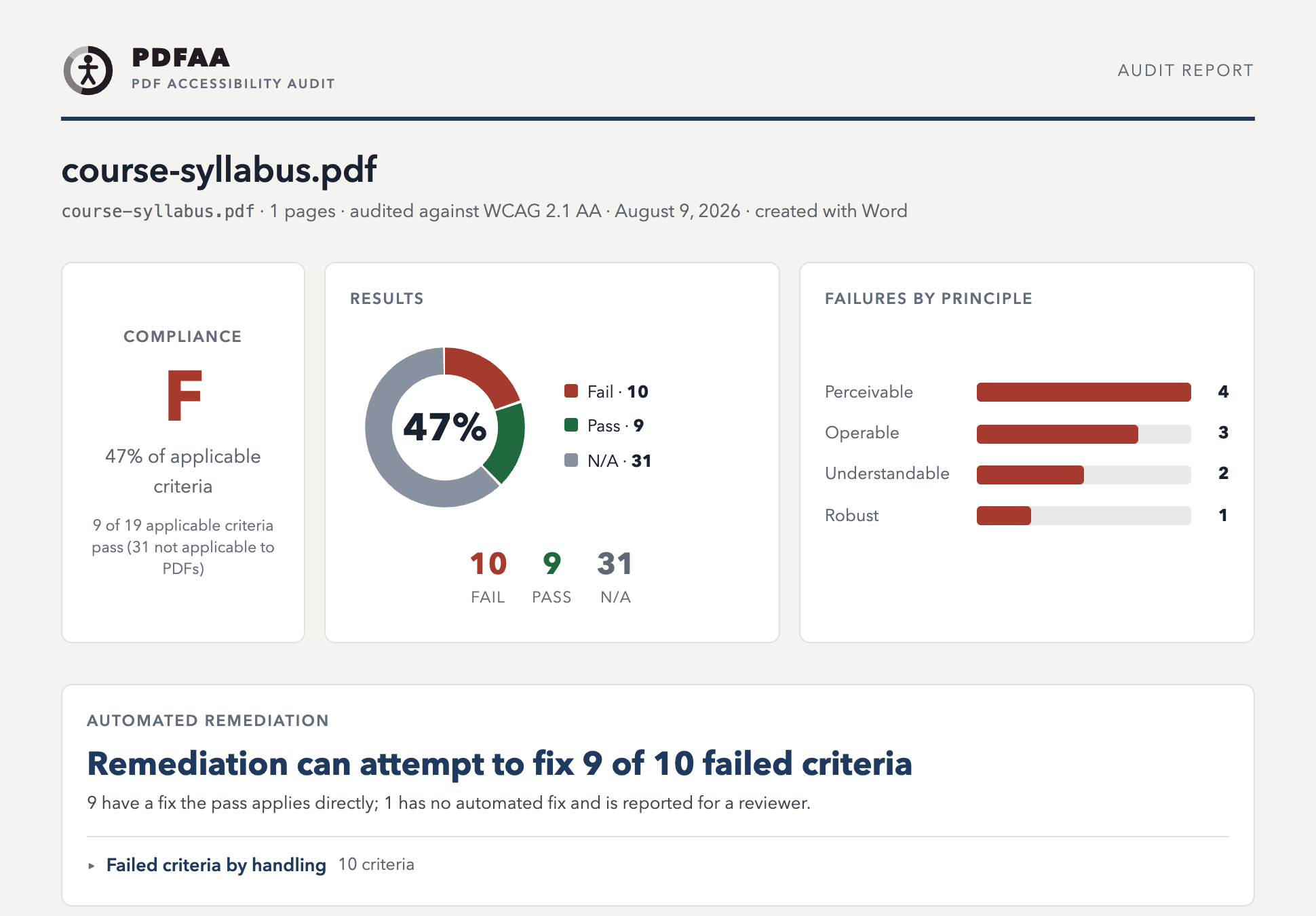
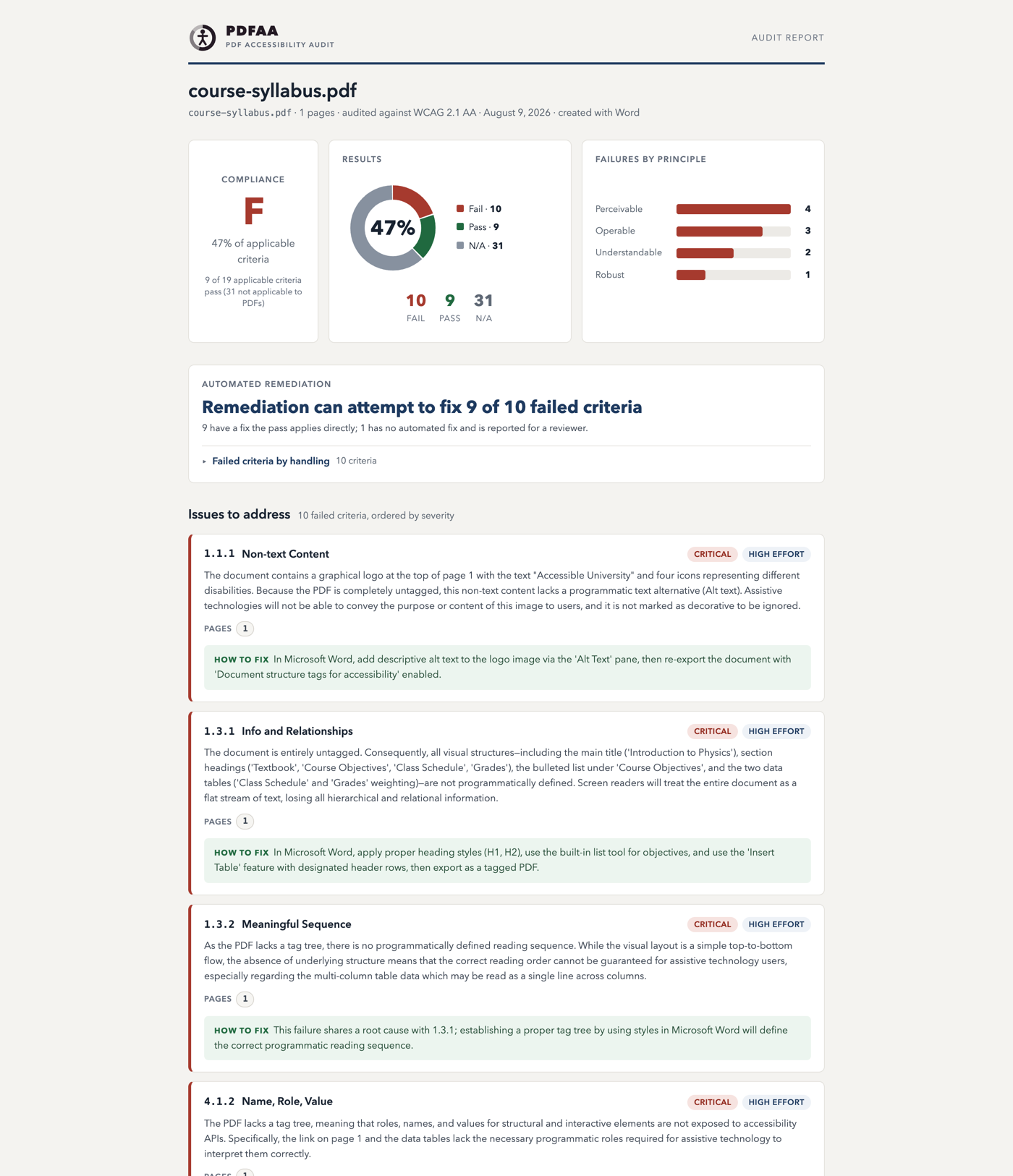
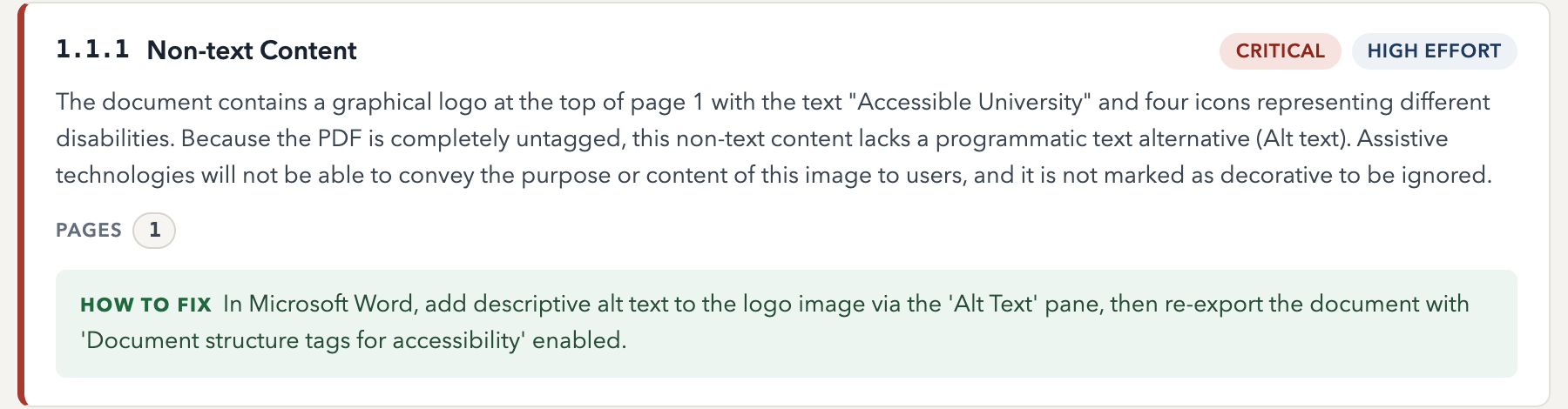
These are unretouched screenshots of a real PDFAA audit of an inaccessible course syllabus. Click any of them to open the actual interactive report.
Know exactly where you stand
Each audit opens with a compliance grade over the criteria that actually apply to your document. Criteria a PDF can’t violate are reported N/A, never quietly counted as passing.
- Failures grouped by WCAG principle, so patterns are visible at a glance
- A remediation preview up front: what PDFAA can fix automatically, before you commit
- Instance counts like “265 of 445 figures missing alt text,” not just pass/fail
Every violation, explained and located
Each failing criterion gets a plain-English explanation, the exact pages where it appears, a severity, and a fix difficulty, so your team can triage instead of guessing.
- Authoring-tool-aware guidance: a Word document gets Word instructions, an InDesign document gets InDesign instructions
- One report, three formats: interactive HTML that works offline, a styled email, and plain text
- Before-and-after tables on re-audit, with any regressions surfaced first
Find it. Fix it. Prove it.
-
1 · Audit
A thorough, rigorous assessment
All 50 WCAG 2.1 A and AA success criteria, assessed by multimodal AI with the actual rendered pages in view, not just a tag scan. Severity, fix difficulty, page locations, and concrete guidance on every violation.
-
2 · Remediation
Machine fixes, applied conservatively
Tag-tree construction, generated alt text, bookmarks, link text, form-field labels, OCR for scanned pages. Every fix is validated before it touches the document; anything unsafe is left for a person, with a drafted suggestion.
-
3 · Accessible version
A conforming alternate, built page by page
An HTML reconstruction of the document with real headings, lists, tables, and alt text. Accessible by construction, delivered as a download and an online reading view with the original pages side by side.
Accurate by design.
Overstated accessibility claims create legal exposure. PDFAA is built to give your agency numbers it can stand behind.
- Criteria a PDF structurally cannot violate are reported N/A, never “pass.”
- Coverage numbers always name their denominator; unknowns read “not assessable,” never zero.
- Remediation results distinguish fixed from partially fixed from needs a human; automation’s limits are stated, not hidden.
- Content edits are verified with a pixel diff; a fix that can’t be applied safely isn’t applied at all.
- PDFAA’s own reports are WCAG 2.1 AA conformant, enforced by automated tests. We use what we ship.
Built to be trusted with your documents.
Durable processing
Runs on Cloudflare’s global platform with checkpointed jobs, so an interrupted run resumes where it left off. Documents up to 500 pages and 50 MB.
Access control
The web portal sits behind Zero Trust single sign-on, layered with a managed client allowlist.
Data hygiene
Model-side document copies expire within 48 hours, operational logs purge automatically after 90 days, and your documents and results are deleted on request. See the privacy policy.
Reliable delivery
Results are delivered by webhook with retries, so a job never silently looks clean when its delivery failed.
Ready to make your document library accessible?
PDFAA is currently available by request. Tell us about your document estate and we’ll set you up.
Request access